Introduction

CycBox is a powerful and highly scalable IoT debugging toolkit designed to assist developers and engineers with IoT device development, protocol analysis, troubleshooting, and automated testing. It supports a wide range of communication protocols, offering an efficient user interface and flexible data visualization methods. It also supports functionality extension via Lua scripts to meet debugging needs in various scenarios.

Key Features

  • Integrated Debugging: Supports Serial, TCP, UDP, MQTT, WebSocket, and more, including transparent data transmission (pass-through) between protocols.
  • High Performance: Features a 1ms high-precision timer and low response latency (1ms).
  • Flexible Configuration: Configurable data transmission/reception flows supporting standard protocols like AT commands and Modbus RTU, as well as custom message frame structures.
  • Scripting Support: Use Lua scripts to implement message processing and responses, or to orchestrate complex automated debugging workflows.
  • Efficient UI: The interface optimizes data display forms and message sending interfaces based on the protocol type. It includes practical features like search highlighting and hexadecimal conversion.
  • Data Integrity: Built-in checksum algorithms capable of automatically adding checksum bits to transmitted data and validating received data.
  • Data Visualization: A dashboard supporting chart plotting, snapshot capture, and data export.
  • Automation: Supports timed sending and command sequence configuration, allowing for the one-click execution of complex debugging processes.
  • Cross-Platform: Supports Windows, Linux, and Android.
  • MCP Interface: Provides an MCP interface to facilitate AI Agent integration for debugging (Experimental).

System Architecture

CycBox adopts a technology stack of Flutter + Rust. The interface is built on Flutter to ensure a consistent user experience across platforms, while the core modules are written in Rust to achieve high performance and security. The system architecture is shown below:

architecture

The data transmission and reception flow in CycBox consists of the following modules:

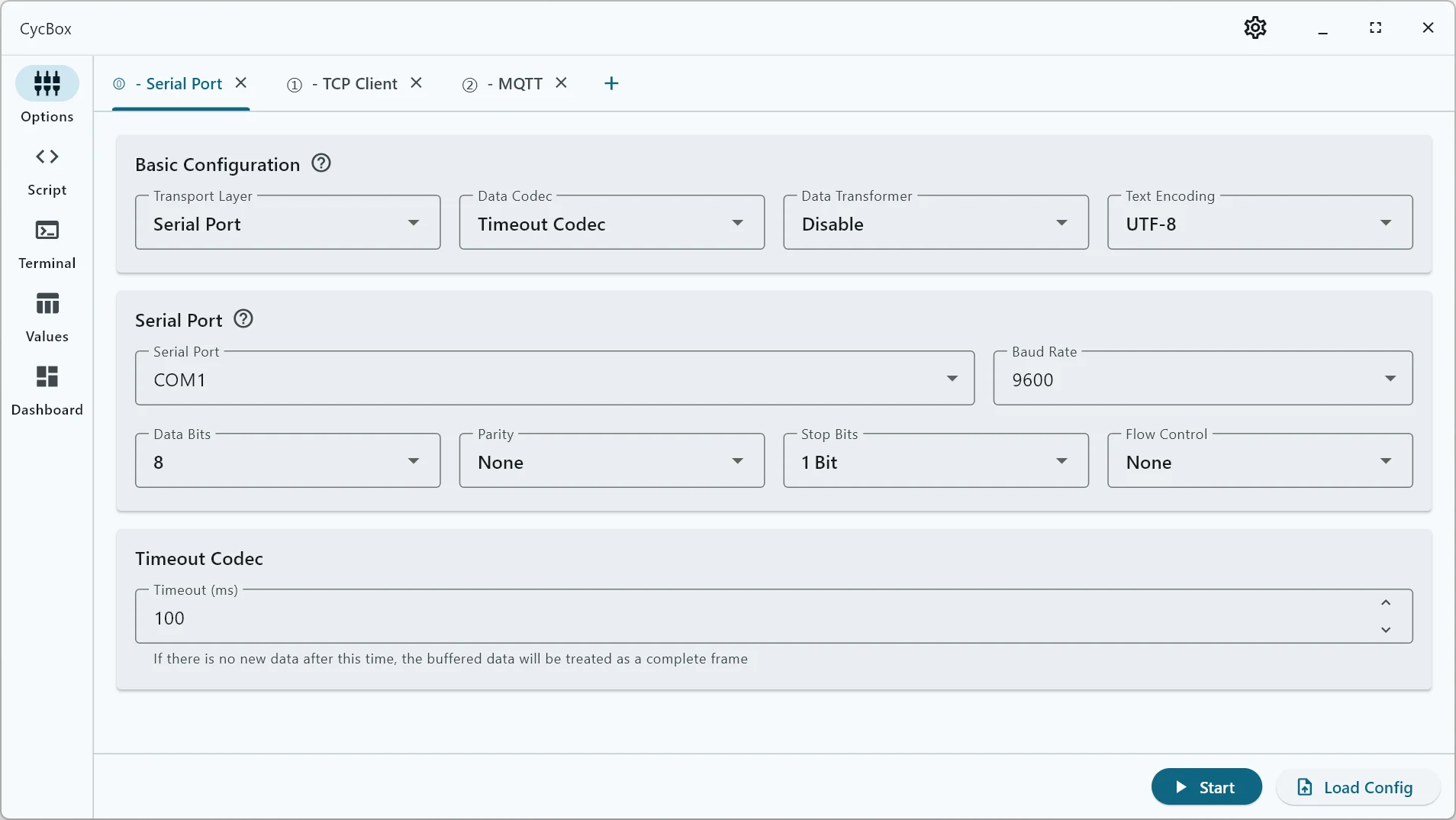
  1. Transport Layer: Responsible for data interaction with external devices or services.
  2. Data Codec: Handles the unpacking and packing of byte streams from the transport layer.
  3. Message Transformation: Extracts data fields from the message body based on specific device protocols, or assembles data fields into a message body.
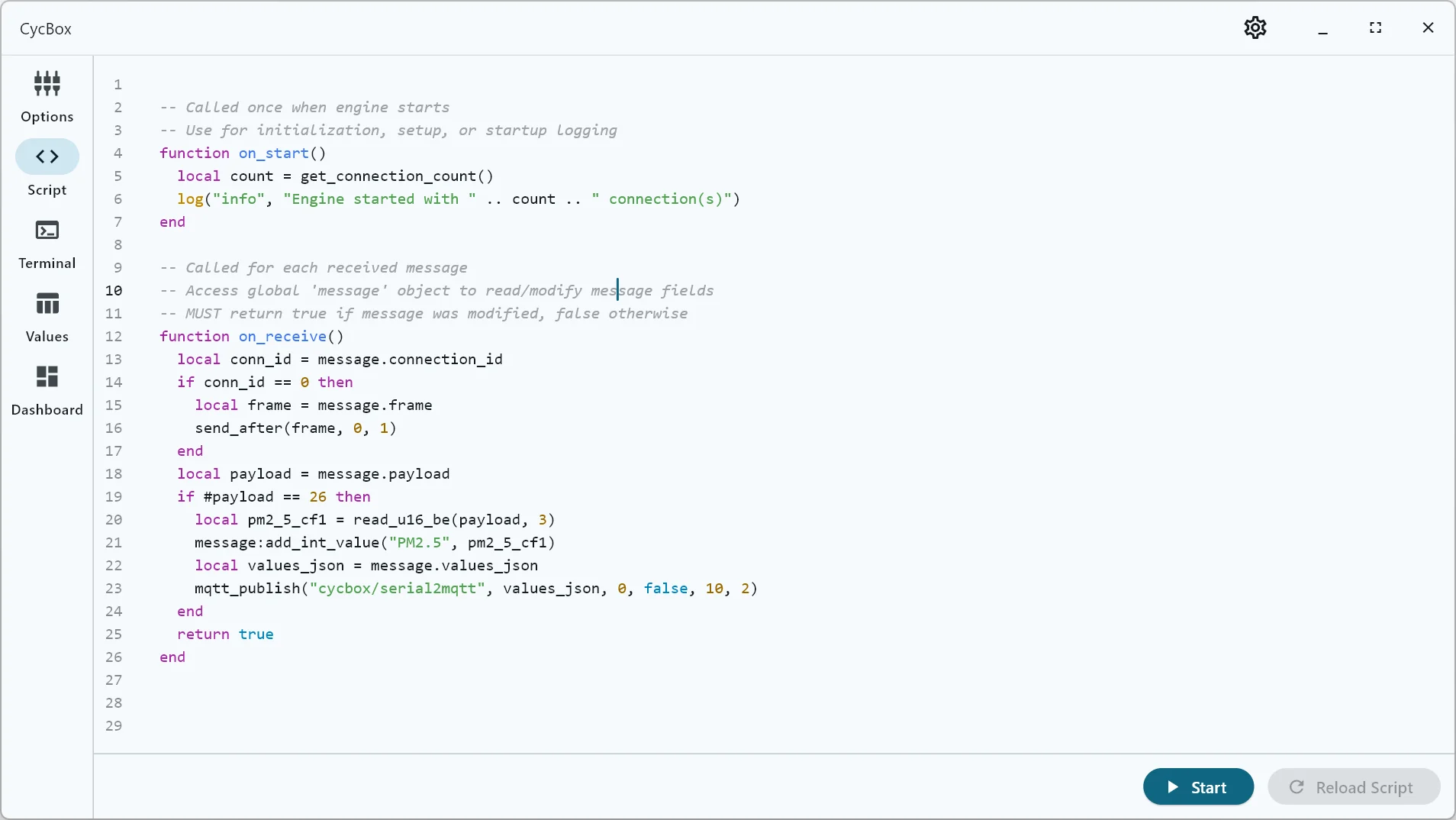
  4. Lua Script: A flexible "glue" layer used to implement complex message processing and response logic.

Transport Layer

The Transport Layer handles interactions with external devices or services. CycBox supports stream-based transport layers (such as Serial and TCP) as well as message-based transport layers (such as MQTT and WebSocket).

Transport Layer

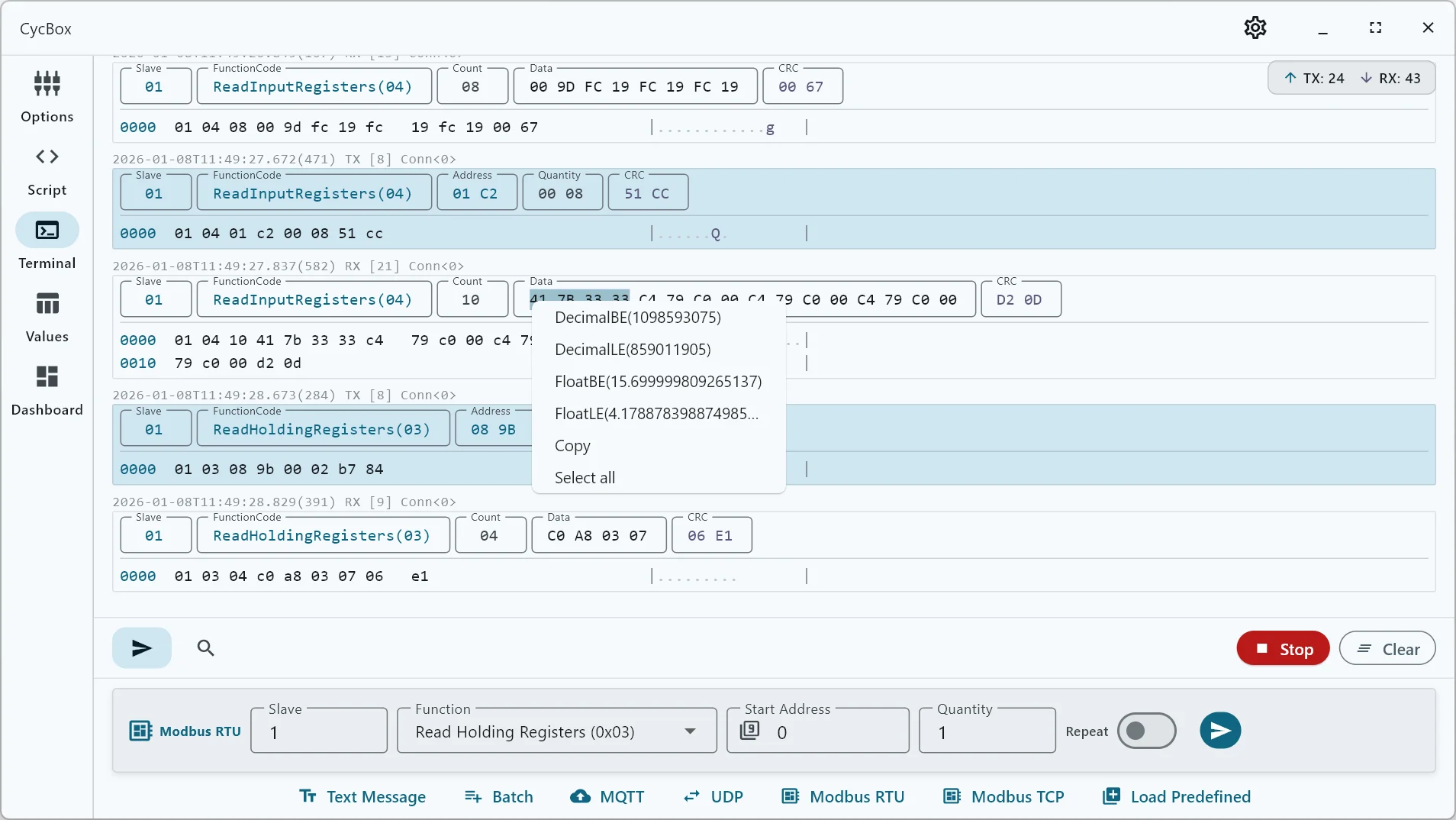
Data Codec (Encoding/Decoding)

CycBox is designed to support both stream-based and message-based protocols. For data streams, CycBox employs a Codec Mechanism to split and assemble data:

  • Decoder: Splits the data stream into independent message packets (Messages) according to protocol rules, then passes them to the upper layer for processing.
  • Encoder: Converts upper-layer messages into byte streams and sends them according to protocol rules.

CycBox includes several built-in codecs and supports custom codecs via WebAssembly plugins.

  • Transparent (Pass-through): Directly transmits and receives data without any encoding or decoding.
  • Line Codec: Splits message packets based on newline characters, suitable for text protocols.
  • Timeout Codec: Suitable for scenarios without a specific frame structure but where message transmission has fixed intervals.
  • Frame Codec: Offers a flexible configurable data frame structure supporting fields like prefix, header, length, and checksum. It can automatically validate frame data using selected algorithms and add checksum data during transmission.
  • AT Command Codec: Designed for debugging devices based on AT command sets, supporting the parsing and encapsulation of common AT command formats.
  • Modbus RTU Codec: Built-in Modbus RTU protocol parsing and data validation; automatically adds checksums when sending data.
  • Modbus TCP Codec: Built-in Modbus TCP protocol parsing.
  • WebAssembly Plugin: Allows users to implement custom codecs via encode/decode interfaces to meet complex protocol requirements.

Codec

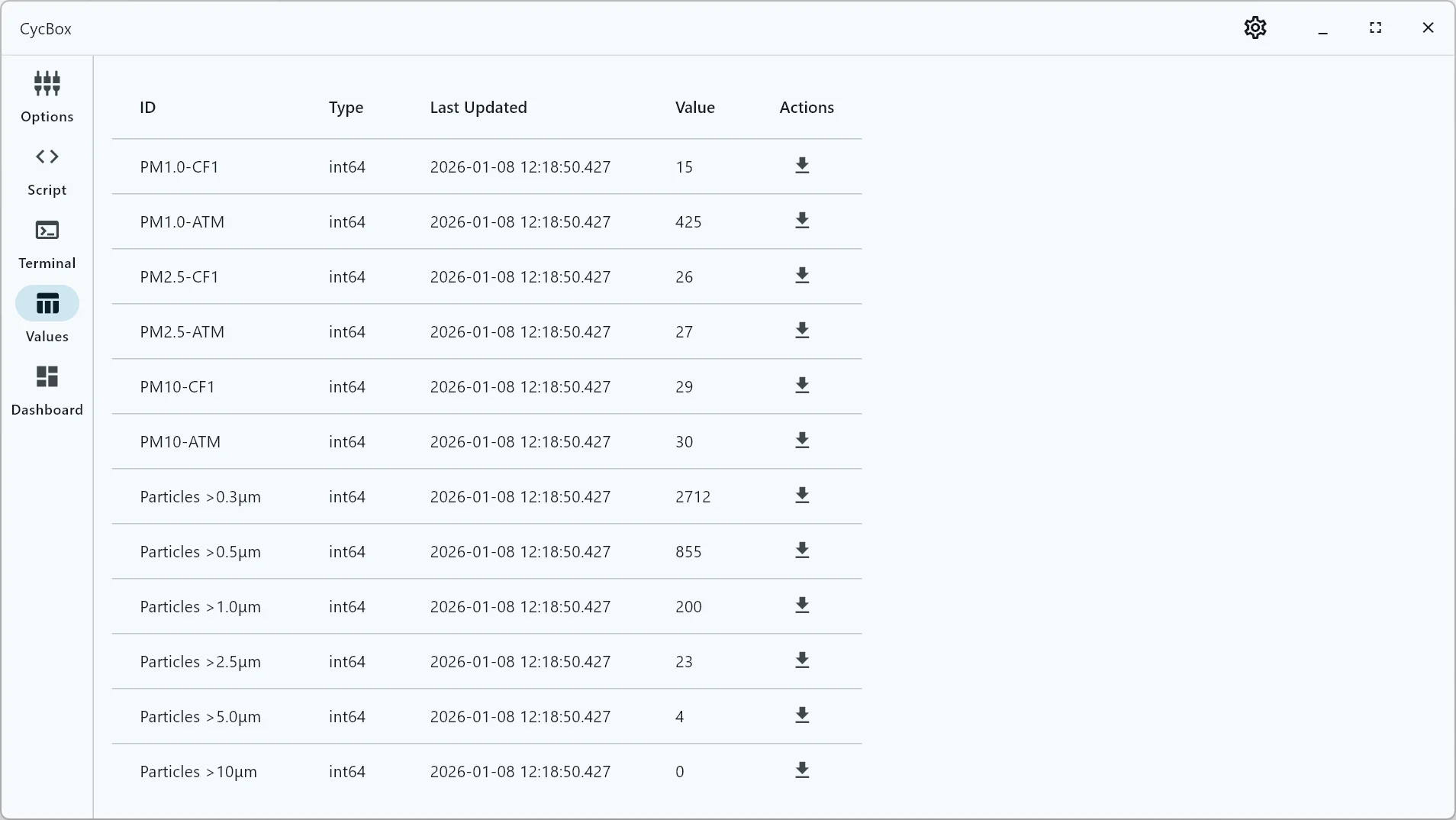
Data Conversion

The Data Conversion module is responsible for extracting data fields from message packets (Messages) into numerical values, or assembling numerical values into message packets. CycBox provides three response timing points for data conversion:

  • Codec: In addition to unpacking and packing, codecs can extract data fields into numerical values for specific protocols (e.g., Modbus).
  • Data Converter: Built-in converters provided for common formats like space-separated numerical text, JSON text, etc.
  • Lua Script: CycBox uses Lua scripts to provide numerical parsing and conversion operations for specific devices.

Data Conversion

Visual Charts

The Visual Charts feature allows users to configure the UI to convert received numerical values into physical quantities and display them in real-time using line charts. Users can also take snapshots of the charts or export the data as CSV files for offline analysis.

Visual Charts

Lua Scripts

CycBox supports Lua Scripts to achieve complex message processing and custom functionality.

Generally, Lua scripts are used to read message frame data and parse it into numerical values, or to dynamically generate response messages based on received content. They can also implement complex automated debugging workflows based on timer events and delayed sending APIs.

Visual Charts

MCP Interface

CycBox provides an MCP (Message Control Protocol) interface via the command-line application cyc, facilitating the integration of external systems such as AI Agents for debugging. The cyc command supports service startup via YAML configuration and provides message sending/receiving interfaces for specific protocols. (Note: The MCP feature is currently in beta. If you need it, please contact [email protected] for a trial).