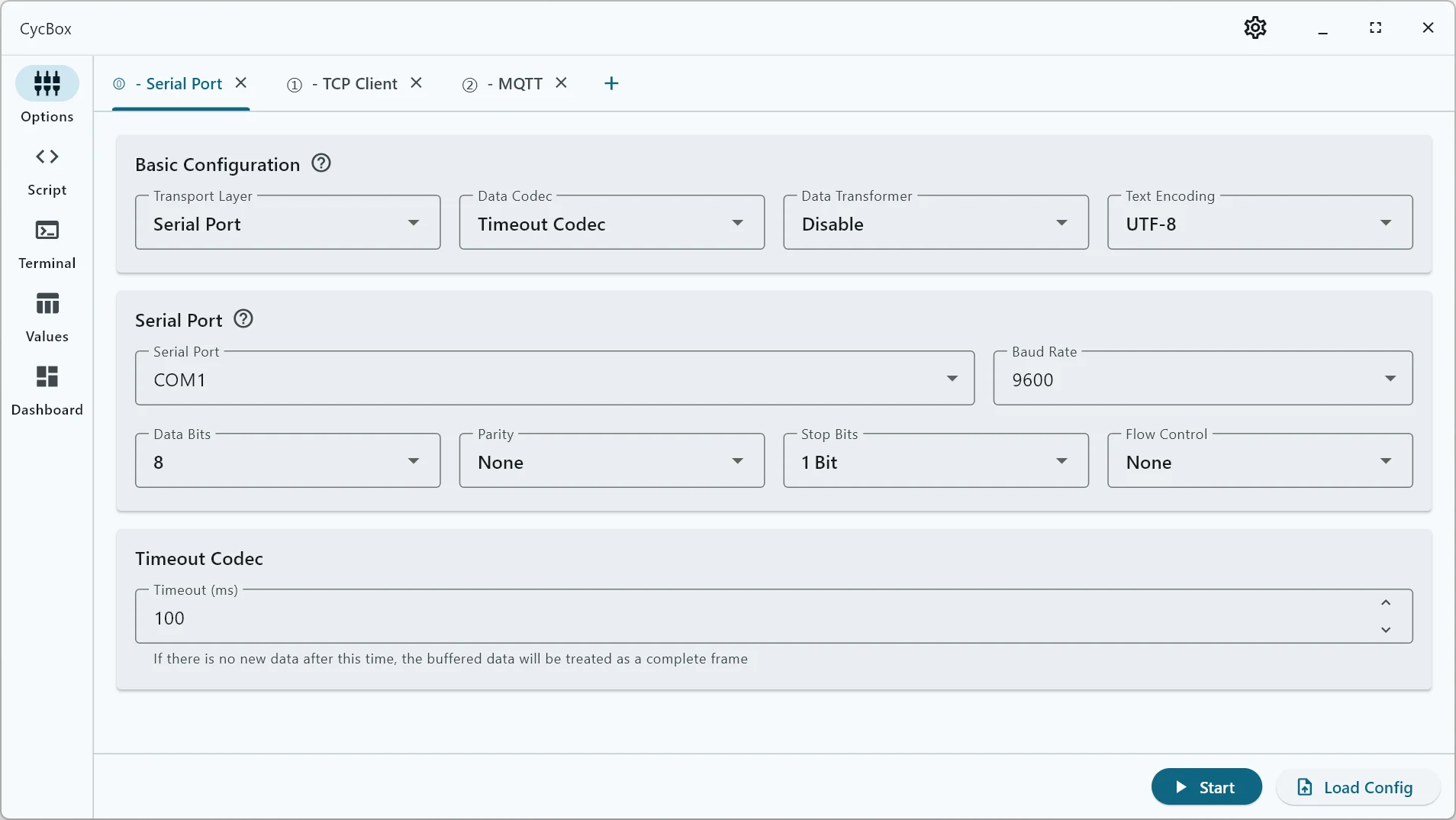
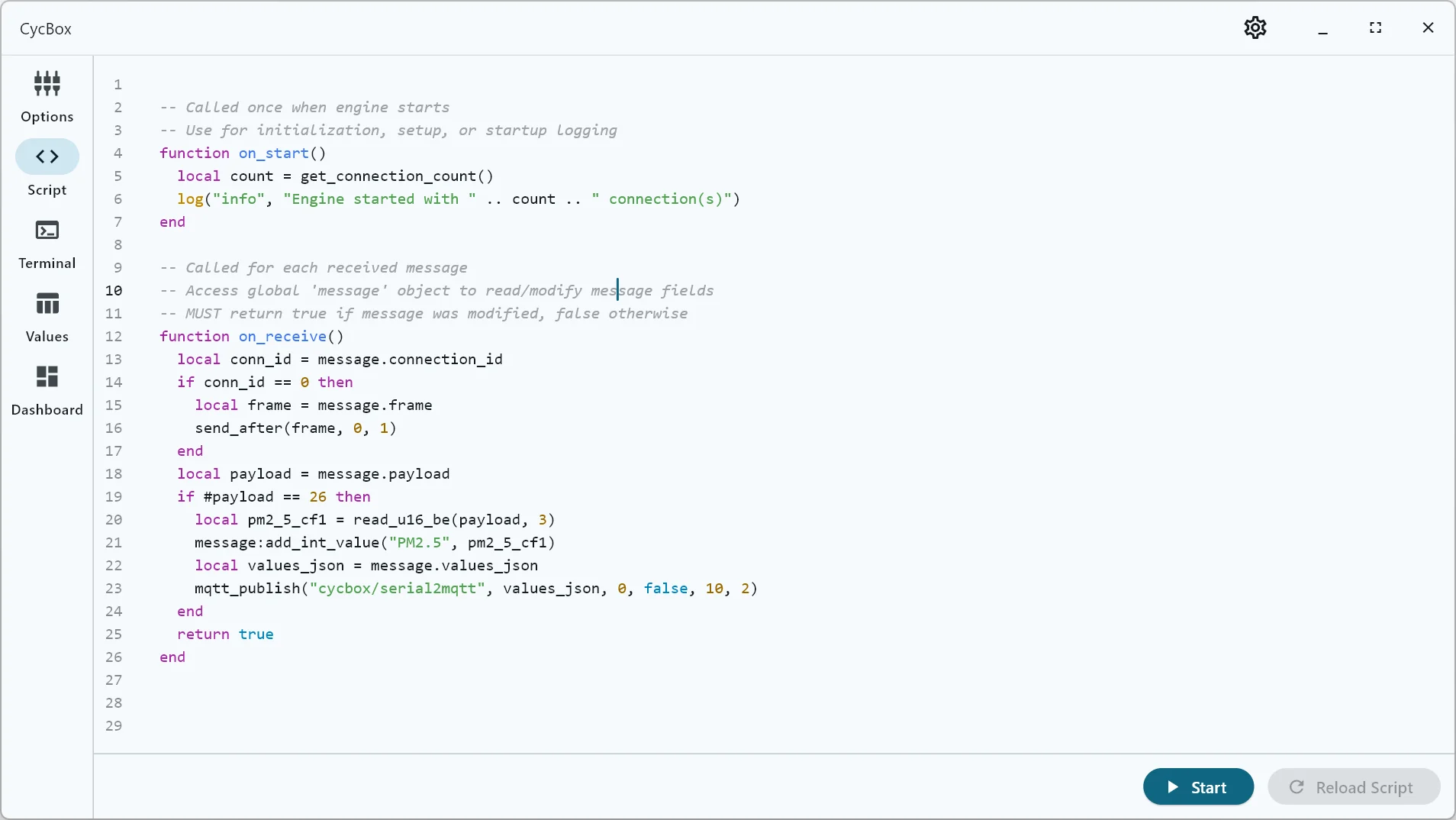
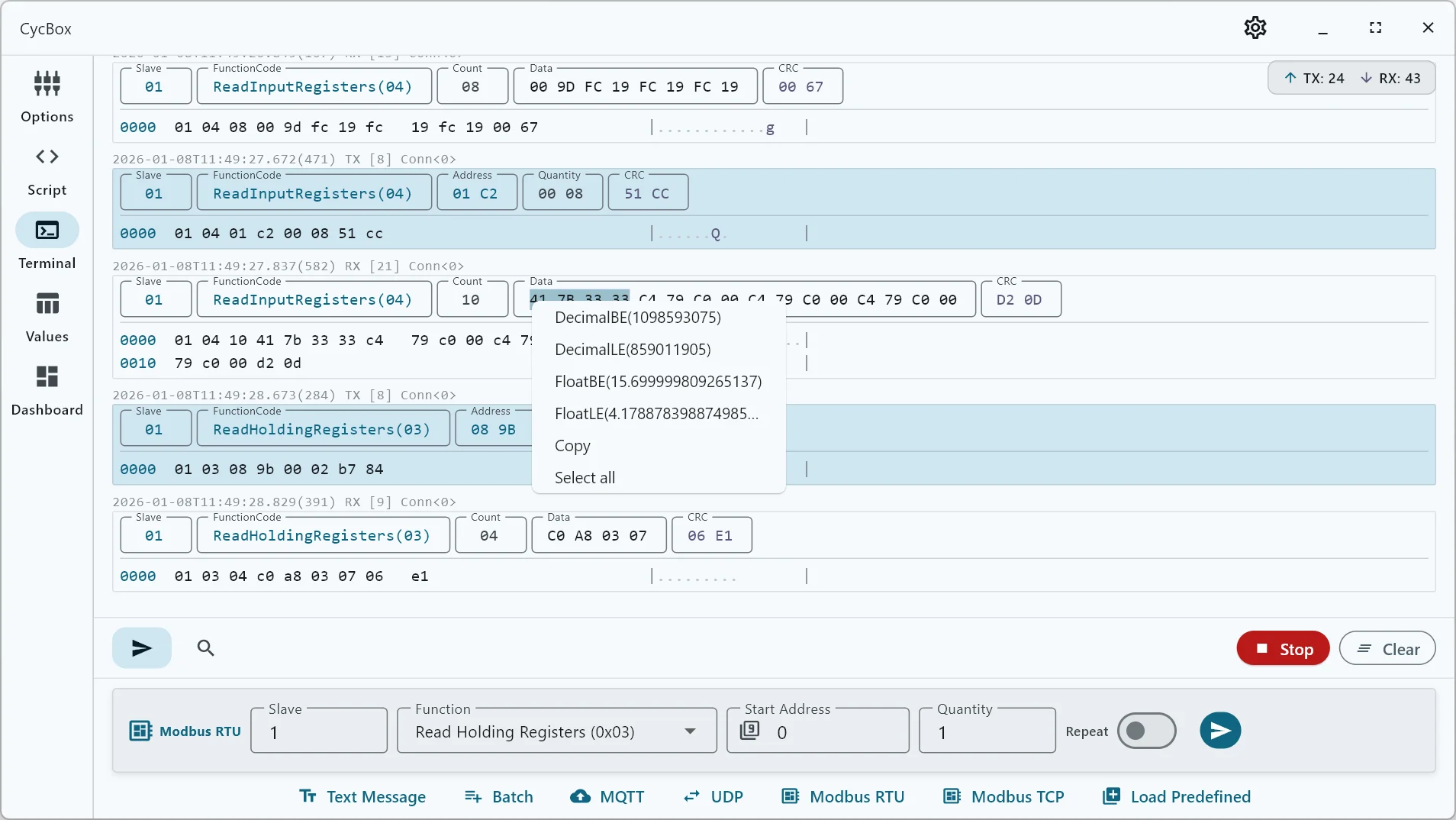
Lua Script

The Lua Script module provides a powerful, sandboxed scripting environment for custom message processing in CycBox. It enables real-time transformation, parsing, and analysis of incoming messages without requiring plugin compilation.

Overview

The Lua Script system intercepts messages in the processing pipeline, allowing you to:

  • Parse custom protocols - Decode proprietary or undocumented data formats
  • Transform message data - Modify payloads, extract values, or add metadata
  • Schedule delayed messages - Send commands with precise timing control
  • Route between connections - Forward messages across multiple connections
  • Extract telemetry - Add chart-ready values for real-time visualization
  • Log diagnostics - Output debug information during development

Architecture

Multi-Connection Support: CycBox runs a single shared Lua task that processes messages from all connections. This enables powerful cross-connection orchestration while maintaining resource efficiency.

┌────────────────────────────────────────────────────────────────┐
│ Connection 0 Connection 1 │
│ ┌─────────┐ ┌──────────┐ ┌─────────┐ ┌──────────┐ │
│ │Transport│ │Processor │ │Transport│ │Processor │ │
│ └────┬────┘ └────┬─────┘ └────┬────┘ └────┬─────┘ │
│ │ │ │ │ │
│ └─────┬─────┘ └─────┬─────┘ │
│ │ │ │
│ └─────────────┬─────────────┘ │
│ ▼ │
│ ┌─────────────────────────┐ │
│ │ Shared Lua Task │ ← Single Lua instance │
│ │ - on_receive() │ │
│ │ - on_send() │ │
│ │ - on_send_confirm() │ │
│ │ - on_timer() │ │
│ └───────────┬─────────────┘ │
│ ▼ │
│ UI │
└────────────────────────────────────────────────────────────────┘

RX Path:
Transport → [Codec Decode] → [Transformer] → [Format] → Lua [on_receive] → UI

TX Path :
UI → Lua [on_send] → [Transformer] → [Codec Encode] → Transport

[Format] → Lua [on_send_confirm] → UI

Timer:
Every 100ms → [on_timer - global]

Key Features:

  • Connection ID Tracking: Every message carries a connection_id field identifying its source/destination connection
  • Message Routing: Lua can inspect and modify connection_id to route messages between connections, or use send_after() to schedule messages to specific connections
  • Connection Query APIs: Query transport/codec types for each connection
  • Global Timer: on_timer() runs once globally every 100ms (not per-connection)

Scripts can implement any combination of hooks to intercept and modify messages at different stages. The global message object is available in hooks for reading and modifying message data.

Getting Started

Quick Start Workflow

  1. Open the Script Tab in CycBox UI
  2. Choose your hook(s) based on your needs:
    • Need to parse incoming data? → Use on_receive()
    • Need to modify outgoing messages? → Use on_send()
    • Need periodic tasks/polling? → Use on_timer()
    • Need initialization? → Use on_start()
  3. Write your script with the chosen hooks
  4. Test incrementally - start with log() statements to verify execution
  5. Add data processing - use binary reading functions and add values to messages
  6. Verify in UI - check logs, message display, and charts

Tip: Start simple! A script with just on_receive() that logs the payload length is a great first test.

Basic Script Structure

Lua scripts can implement any combination of these five optional hooks:

-- Called once when Lua task starts (before any connections)
-- Use for initialization, setup, or startup logging
-- Can query connection information
function on_start()
local count = get_connection_count()
log("info", "Engine started with " .. count .. " connection(s)")

-- Query each connection's transport and codec
for i = 0, count - 1 do
local transport = get_transport(i)
local codec = get_codec(i)
log("info", "Connection " .. i .. ": " .. transport .. " with " .. codec)
end
end

-- Called for each received message from ANY connection (RX path)
-- Access global 'message' object to read/modify message fields
-- message.connection_id identifies which connection the message came from
-- MUST return true if message was modified, false otherwise
function on_receive()
local conn_id = message.connection_id
local payload = message.payload
log("info", "Received from connection " .. conn_id .. ": " .. #payload .. " bytes")

-- Your processing logic here
return false -- Return true if message was modified
end

-- Called for each outgoing message (TX path, before processor)
-- Access global 'message' object to read/modify message fields
-- message.connection_id controls which connection will receive the message
-- Can modify connection_id to route to different connection
-- MUST return true if message was modified, false otherwise
function on_send()
local conn_id = message.connection_id
log("info", "Sending to connection " .. conn_id)

-- Your processing logic here
return false -- Return true if message was modified
end

-- Called for each TX confirmation (after successful send)
-- Useful for logging confirmations or triggering follow-up actions
-- MUST return true if message was modified, false otherwise
function on_send_confirm()
local conn_id = message.connection_id
log("info", "Message sent successfully on connection " .. conn_id)
return false
end

-- Called periodically (every 100ms) - GLOBAL timer
-- NOT called per-connection - runs once globally
-- Use for polling, timers, or periodic tasks across all connections
function on_timer(elapsed_ms)
-- elapsed_ms: milliseconds since Lua task started
-- Example: Poll different connections based on elapsed time
end

Important: For message hooks (on_receive, on_send, on_send_confirm), the return value controls whether the modified message is copied back:

  • return true - Message modifications are applied (payload, values, connection_id, etc.)
  • return false - Message passes through unchanged (performance optimization)

Connection ID: Every message has a connection_id field (0-based index). Lua can:

  • Read message.connection_id to determine source connection in on_receive()
  • Modify message.connection_id to route TX messages to different connections

Simple Example: Logging and Payload Inspection

Start with this minimal script to verify Lua integration:

-- Simple logging example with multi-connection support
function on_start()
local count = get_connection_count()
log("info", "Lua script initialized with " .. count .. " connection(s)!")

-- Log each connection's configuration
for i = 0, count - 1 do
local transport = get_transport(i)
local codec = get_codec(i)
log("info", "Connection " .. i .. ": " .. transport .. "/" .. codec)
end
end

function on_receive()
local conn_id = message.connection_id
local payload = message.payload
local transport = get_transport(conn_id)

log("info", "Received " .. #payload .. " bytes from connection " .. conn_id .. " (" .. transport .. ")")

-- Display payload as hex string
local hex = ""
for i = 1, math.min(#payload, 16) do -- First 16 bytes only
hex = hex .. string.format("%02X ", string.byte(payload, i))
end
message:add_content("Hex: " .. hex)

return true -- We added content
end

function on_send()
local conn_id = message.connection_id
log("info", "Sending message with " .. #message.payload .. " bytes to connection " .. conn_id)
return false -- Not modifying
end

function on_send_confirm()
local conn_id = message.connection_id
log("info", "Message sent successfully on connection " .. conn_id)
return false
end

This script demonstrates:

  • Multi-connection awareness - Queries and logs all connection configurations
  • Connection ID tracking - Uses message.connection_id to identify source/destination
  • Connection query APIs - Uses get_transport(), get_codec(), get_connection_count()
  • Payload access with message.payload
  • Logging received/sent data with connection context
  • Content display with message:add_content()
  • TX confirmation tracking with on_send_confirm()
  • Proper return values (true when modified, false when not)

Multi-Connection Features

Connection Query APIs

The Lua environment provides functions to query information about all active connections:

-- Get total number of connections
local count = get_connection_count() -- Returns: integer (e.g., 2)

-- Get transport type for a specific connection
local transport = get_transport(0) -- Returns: string (e.g., "serial", "tcp_client", "websocket_client")

-- Get codec type for a specific connection
local codec = get_codec(1) -- Returns: string (e.g., "modbus_rtu", "line", "frame")

Note: Connection IDs are 0-based indices (0, 1, 2, ..., count-1).

Legacy APIs (for backward compatibility with single-connection scripts):

-- These return first connection's (connection_id = 0) transport/codec
local transport = app_transport() -- Same as get_transport(0)
local codec = app_codec() -- Same as get_codec(0)

Message Routing Between Connections

The connection_id field enables powerful cross-connection routing:

-- Example: Forward serial data to TCP connection
function on_receive()
local conn_id = message.connection_id
local transport = get_transport(conn_id)

-- If received from serial (connection 0), forward to TCP (connection 1)
if transport == "serial" and get_connection_count() > 1 then
log("info", "Forwarding serial data to TCP connection")

-- Send a copy to connection 1 (will be handled in next on_send)
send_after(message.payload, 0, 1) -- delay=0ms, connection_id=1
end

return false -- Original message continues to UI
end

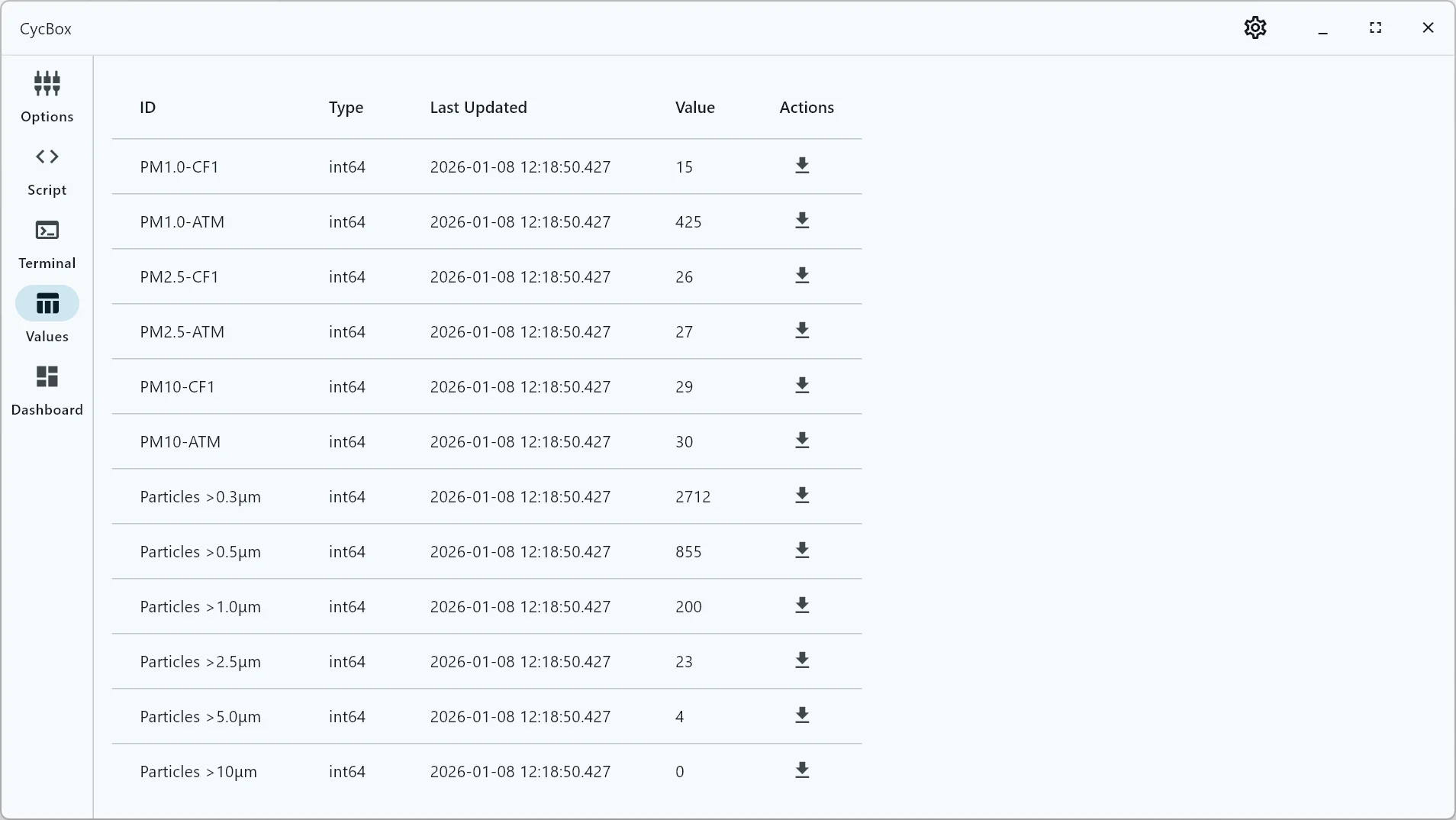
Example: PMS9103M Air Quality Sensor

The PMS9103M is a particulate matter sensor that outputs data in a custom binary protocol:

Protocol Specification

FieldOffsetTypeDescription
Prefix0-1BytesFixed header 0x42 0x4D ("BM")
Length2-3U16 BEPayload length (always 28 = 26 bytes data + 2 bytes checksum)
PM1.0 CF=14-5U16 BEPM1.0 concentration (μg/m³, CF=1)
PM2.5 CF=16-7U16 BEPM2.5 concentration (μg/m³, CF=1)
PM10 CF=18-9U16 BEPM10 concentration (μg/m³, CF=1)
PM1.0 ATM10-11U16 BEPM1.0 concentration (μg/m³, atmospheric)
PM2.5 ATM12-13U16 BEPM2.5 concentration (μg/m³, atmospheric)
PM10 ATM14-15U16 BEPM10 concentration (μg/m³, atmospheric)
Particles >0.3μm16-17U16 BECount per 0.1L air
Particles >0.5μm18-19U16 BECount per 0.1L air
Particles >1.0μm20-21U16 BECount per 0.1L air
Particles >2.5μm22-23U16 BECount per 0.1L air
Particles >5.0μm24-25U16 BECount per 0.1L air
Particles >10μm26-27U16 BECount per 0.1L air
Reserved28-29U16 BEVersion/error code
Checksum30-31U16 BESum16 checksum

Complete Implementation

-- PMS9103M Air Quality Sensor Parser
-- Parses particulate matter concentrations and particle counts

function on_receive()
local conn_id = message.connection_id
local payload = message.payload

-- Validate payload length (26 bytes after prefix/length/checksum are removed)
if #payload ~= 26 then
log("warn", "Connection " .. conn_id .. ": Invalid PMS9103M payload length: " .. #payload .. " (expected 26)")
return false
end

-- Parse PM concentrations (CF=1, standard particles) in μg/m³
local pm1_0_cf1 = read_u16_be(payload, 1) -- Offset 1 (bytes 4-5 in full frame)
local pm2_5_cf1 = read_u16_be(payload, 3) -- Offset 3 (bytes 6-7)
local pm10_cf1 = read_u16_be(payload, 5) -- Offset 5 (bytes 8-9)

-- Parse PM concentrations (atmospheric environment) in μg/m³
local pm1_0_atm = read_u16_be(payload, 7) -- Offset 7 (bytes 10-11)
local pm2_5_atm = read_u16_be(payload, 9) -- Offset 9 (bytes 12-13)
local pm10_atm = read_u16_be(payload, 11) -- Offset 11 (bytes 14-15)

-- Parse particle counts (number of particles per 0.1L air)
local particles_0_3um = read_u16_be(payload, 13) -- Offset 13 (bytes 16-17)
local particles_0_5um = read_u16_be(payload, 15) -- Offset 15 (bytes 18-19)
local particles_1_0um = read_u16_be(payload, 17) -- Offset 17 (bytes 20-21)
local particles_2_5um = read_u16_be(payload, 19) -- Offset 19 (bytes 22-23)
local particles_5_0um = read_u16_be(payload, 21) -- Offset 21 (bytes 24-25)
local particles_10um = read_u16_be(payload, 23) -- Offset 23 (bytes 26-27)

-- Add PM concentrations to charts (CF=1 vs Atmospheric comparison)
message:add_int_value("PM1.0 (μg/m³)", pm1_0_cf1)
message:add_int_value("PM1.0 (μg/m³)", pm1_0_atm,)

message:add_int_value("PM2.5 (μg/m³)", pm2_5_cf1)
message:add_int_value("PM2.5 (μg/m³)", pm2_5_atm)

message:add_int_value("PM10 (μg/m³)", pm10_cf1)
message:add_int_value("PM10 (μg/m³)", pm10_atm)

-- Add particle counts to chart (all in same group for comparison)
message:add_int_value("Particles >0.3μm", particles_0_3um)
message:add_int_value("Particles >0.5μm", particles_0_5um)
message:add_int_value("Particles >1.0μm", particles_1_0um)
message:add_int_value("Particles >2.5μm", particles_2_5um)
message:add_int_value("Particles >5.0μm", particles_5_0um)
message:add_int_value("Particles >10μm", particles_10um)

-- Log parsed values for debugging
log("info", string.format("PM2.5: CF=%d ATM=%d μg/m³", pm2_5_cf1, pm2_5_atm))

-- Return true since we added values to the message
return true
end

Lua API Reference

Global Hooks

All hooks are optional. Implement only the hooks you need.

on_start()

Called once when the Lua task starts (before processing any messages).

Use cases: Initialization, logging startup info, querying connection configuration

Example:

function on_start()
log("info", "Script started with " .. get_connection_count() .. " connections")
end

on_receive() → boolean

Called for each received message from any connection (RX path).

Global variables:

  • message - The received message object (with connection_id set)

Return value:

  • true - Message was modified, changes will be applied
  • false - Message unchanged, optimization to avoid copying

Use cases: Parse protocols, extract telemetry, log received data, route messages

Example:

function on_receive()
local conn_id = message.connection_id
local payload = message.payload

-- Parse and add values
message:add_int_value("Temperature", read_i16_be(payload, 1))

return true -- Modified message
end

on_send() → boolean

Called for each outgoing message from UI (TX path, before processor).

Global variables:

  • message - The outgoing message object (with connection_id set)

Return value:

  • true - Message was modified, changes will be applied
  • false - Message unchanged

Use cases: Modify payloads, change routing, add checksums, log outgoing data

Example:

function on_send()
-- Route based on connection type
if get_transport(message.connection_id) == "serial" then
-- Modify for serial connection
return false
end
return false
end

on_send_confirm() → boolean

Called for each TX confirmation after successful send.

Global variables:

  • message - The confirmed message object (with connection_id set)

Return value:

  • true - Message was modified (rarely needed)
  • false - Message unchanged

Use cases: Log confirmations, trigger follow-up actions, track sent messages

Example:

function on_send_confirm()
log("info", "Sent " .. #message.payload .. " bytes on connection " .. message.connection_id)
return false
end

on_timer(elapsed_ms)

Called periodically every 100ms (global timer, not per-connection).

Parameters:

  • elapsed_ms (number) - Milliseconds since Lua task started

Use cases: Periodic polling, scheduled tasks, timeout detection

Example:

local last_poll_time = 0

function on_timer(elapsed_ms)
-- Poll every second
if elapsed_ms - last_poll_time >= 1000 then
send_after("POLL\n", 0, 0) -- Send to connection 0
last_poll_time = elapsed_ms
end
end

Connection Query Functions

get_connection_count() → number

Returns the total number of active connections.

Returns: Integer count (e.g., 2)

Example:

local count = get_connection_count()
for i = 0, count - 1 do
log("info", "Connection " .. i .. " exists")
end

get_transport(connection_id) → string

Returns the transport type for the specified connection.

Parameters:

  • connection_id (number) - Connection index (0-based)

Returns: Transport type string (e.g., "serial", "tcp_client", "websocket_client", "mqtt", "udp")

Example:

local transport = get_transport(0)
if transport == "serial" then
log("info", "Connection 0 is a serial port")
end

get_codec(connection_id) → string

Returns the codec type for the specified connection.

Parameters:

  • connection_id (number) - Connection index (0-based)

Returns: Codec type string (e.g., "modbus_rtu", "modbus_tcp", "line", "frame", "passthrough")

Example:

local codec = get_codec(1)
if codec == "modbus_rtu" then
log("info", "Connection 1 uses Modbus RTU")
end

Utility Functions

log(level, message)

Logs a message to the application log.

Parameters:

  • level (string, optional) - Log level: "debug", "info", "warn", "error" (default: "info")
  • message (string, optional) - Message to log (default: "<nil>")

Example:

log("info", "Processing started")
log("warn", "Invalid data received")
log("error", "Critical failure")
log("debug", "Variable x = " .. x)

send_after(payload, delay_ms, connection_id) → boolean

Schedules a message to be sent after a delay to a specific connection.

Parameters:

  • payload (string) - Message payload (binary data as Lua string) - required, cannot be nil
  • delay_ms (number) - Delay in milliseconds before sending
  • connection_id (number, optional) - Target connection ID (default: 0)

Returns:

  • true - Message scheduled successfully
  • false - Failed to schedule (channel closed or error)
  • Error if payload is nil

Example:

-- Send to default connection (0) after 1 second
send_after("Hello\n", 1000)

-- Send to connection 1 immediately
send_after("PING\n", 0, 1)

-- Send binary data after 500ms to connection 0
send_after("\x01\x03\x00\x00\x00\x0A", 500, 0)

Message Object API

The global message object in hooks provides access to message data and metadata.

Fields

  • message.connection_id (number) - Source/destination connection ID (0-based, can be modified in on_send)
  • message.payload (string) - Raw message payload as binary string
  • message.contents (string) - Formatted display text (read-only)
  • message.values (table) - Extracted data values (read-only)
  • message.metadata (table) - Transport-specific metadata (read-only)

Methods

  • message:add_content(text) - Add display text
  • message:add_int_value(id, value, group) - Add integer telemetry value
  • message:add_float_value(id, value, group) - Add floating-point telemetry value
  • message:add_string_value(id, value, group) - Add string value

See Message API documentation for complete details.


Binary Data Reading Functions

Functions for parsing binary protocol payloads. All use 1-based indexing (Lua convention).

Available functions:

  • read_u8(payload, offset) - Read unsigned 8-bit integer
  • read_i8(payload, offset) - Read signed 8-bit integer
  • read_u16_be(payload, offset) - Read unsigned 16-bit big-endian
  • read_u16_le(payload, offset) - Read unsigned 16-bit little-endian
  • read_i16_be(payload, offset) - Read signed 16-bit big-endian
  • read_i16_le(payload, offset) - Read signed 16-bit little-endian
  • read_u32_be(payload, offset) - Read unsigned 32-bit big-endian
  • read_u32_le(payload, offset) - Read unsigned 32-bit little-endian
  • read_i32_be(payload, offset) - Read signed 32-bit big-endian
  • read_i32_le(payload, offset) - Read signed 32-bit little-endian
  • read_float_be(payload, offset) - Read 32-bit float big-endian
  • read_float_le(payload, offset) - Read 32-bit float little-endian
  • read_double_be(payload, offset) - Read 64-bit double big-endian
  • read_double_le(payload, offset) - Read 64-bit double little-endian

Example:

local payload = message.payload
local temp = read_i16_be(payload, 1) -- Read bytes 1-2 as signed 16-bit BE
local humidity = read_u16_le(payload, 3) -- Read bytes 3-4 as unsigned 16-bit LE

Protocol Helper Functions

Additional protocol-specific helpers are documented in separate pages:

  • Modbus helpers - modbus_read_coils(), modbus_write_single_register(), etc.
  • MQTT helpers - mqtt_publish(topic, payload, qos, retain, delay, connection_id)
  • UDP helpers - udp_send(destination_address, destination_port, payload, delay, connection_id)

All protocol helpers accept an optional connection_id parameter to target specific connections.